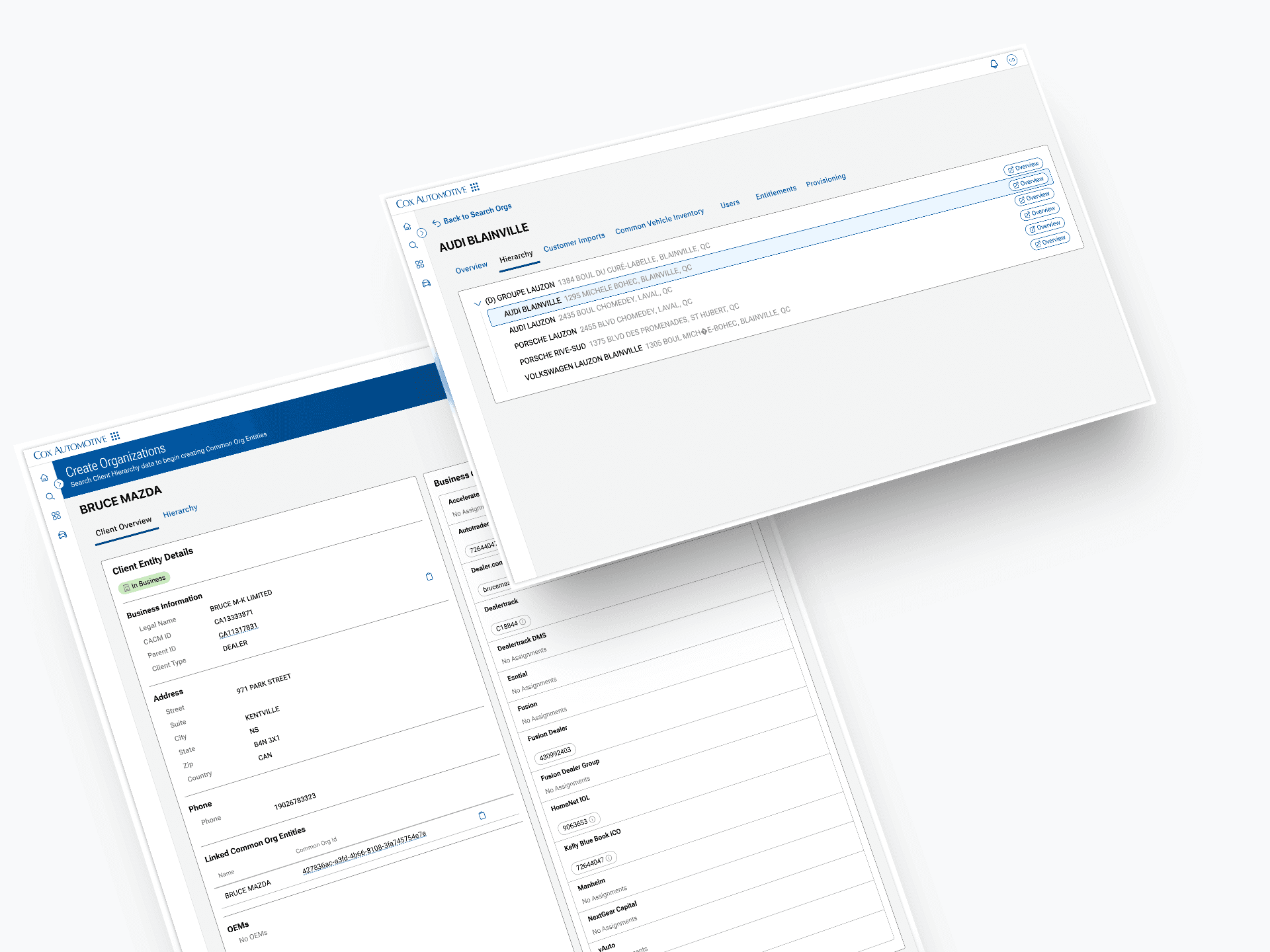
Designed a centralized system to manage thousands of dealerships and product access
Client
Cox Automotive
Role
Lead Product Designer
Duration
Multi-year, iterative
Focus areas
End-to-end, zero-to-one
Overview- one tool to run the whole platform
Cox Automotive operates a large portfolio of dealer-facing products: Dealertrack, VinSolutions, vAuto, Dealer.com, and more. Each one had grown independently, with its own way of representing a dealership, its own admin interface, and its own support workflow.
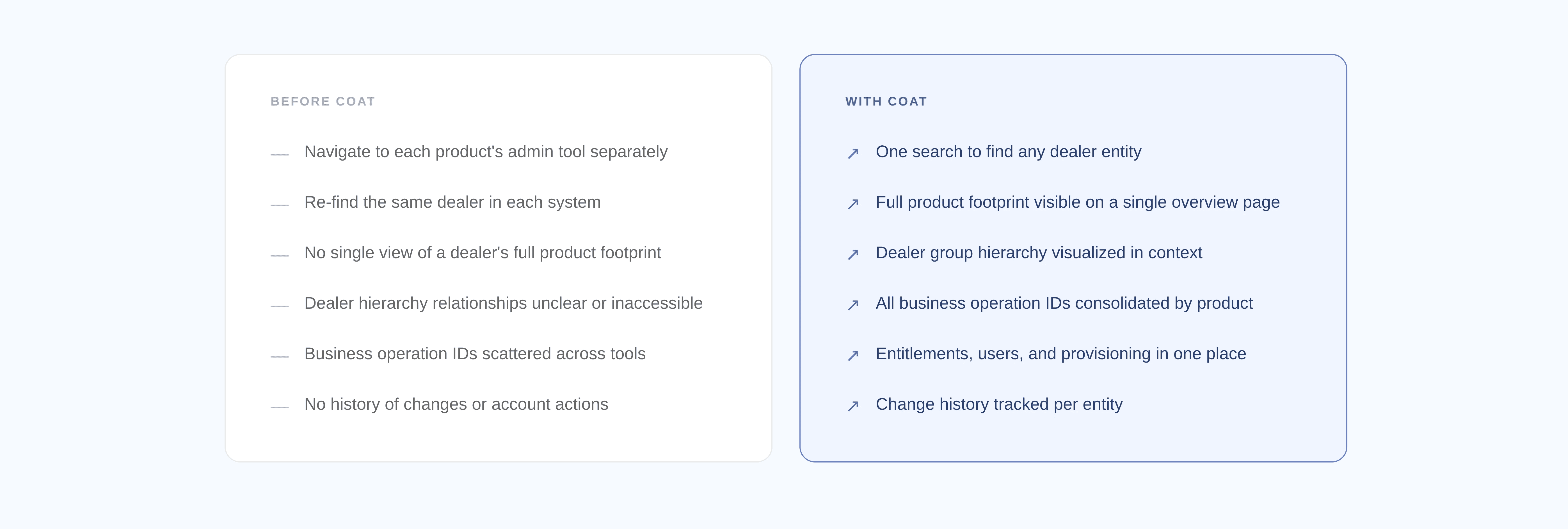
That meant every time an implementation or support team member needed to set up or troubleshoot a dealer, they were bouncing between multiple tools, re-finding the same entity in each one, and manually reconciling data that should have been consistent everywhere. There was no authoritative record of what a dealer looked like across Cox.
COAT (Common Operations and Administration Tool) was built to fix that. It became the single entry point for understanding, setting up, and troubleshooting anything dealer-related on the OneCox platform. I owned the design from day one through years of iteration as new capabilities were added.
The problem- no shared reality
Before COAT, there was no internal tool that understood a dealership as a whole. If you wanted to know which Cox products a dealer was using, what their account IDs were across those products, and how they fit into a dealer group hierarchy, you were piecing that together yourself.
“Setting up or troubleshooting a dealer for a composed solution is error prone and can take a significant amount of time, scaling up in cost the more products are involved.”
The downstream effects were real: slow onboarding, inconsistent setups, duplicate records, and support teams spending significant time just locating the right data before they could actually solve a problem.
My role- full ownership, from blank page to shipped product
I was the only designer on this project for its entire lifespan. That meant working directly with product and engineering from the initial concept through launch, and then years of continued iteration as new capabilities, new tabs, new flows, and new tools from other teams were integrated into COAT.
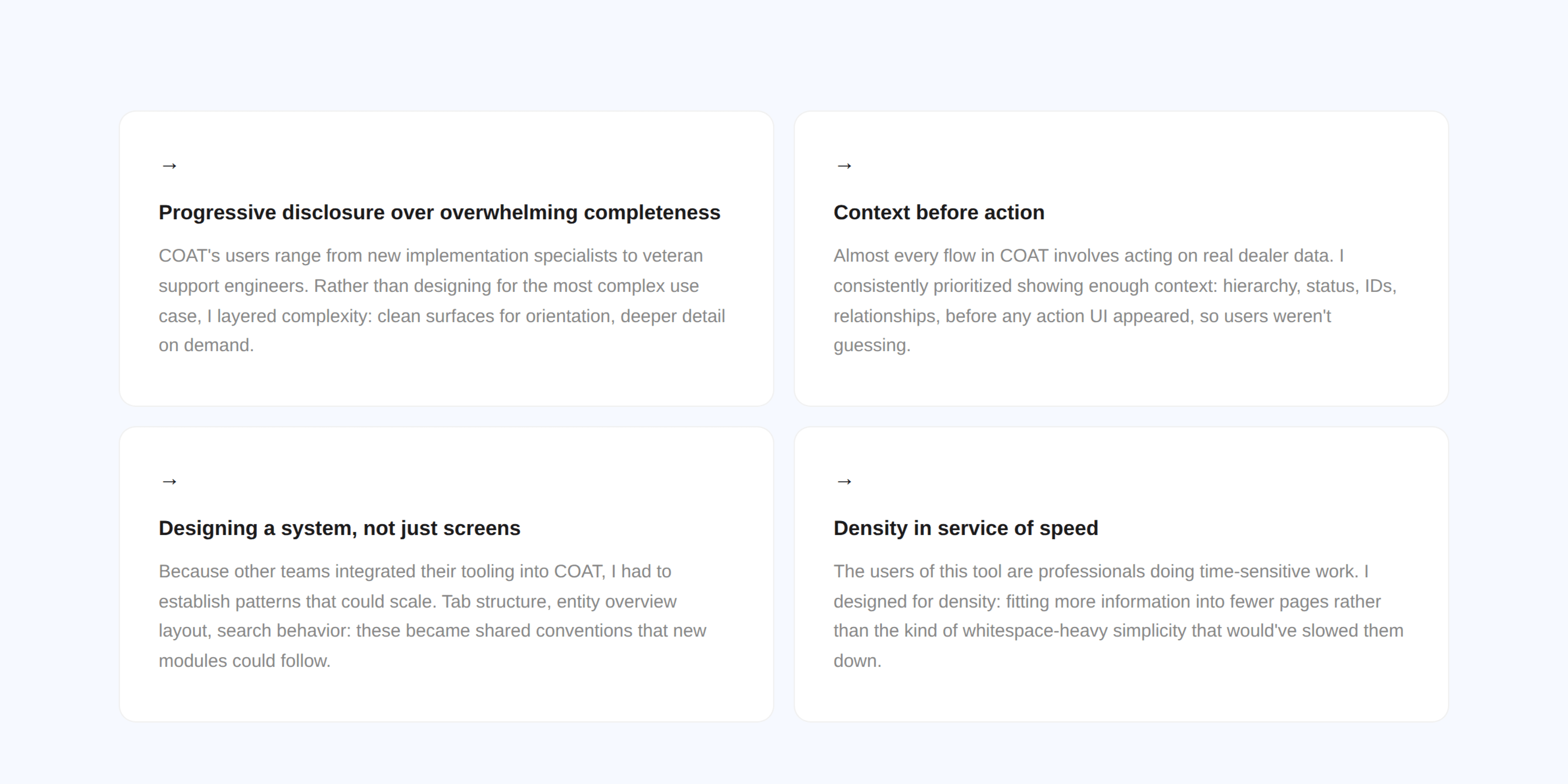
Because COAT is a host for other teams’ tooling (Common Org, Common User/Bridge, Connected Customer, Common Vehicle Inventory), a big part of my work was establishing patterns and standards that each adopting team could build within. Designing the system, not just the screens.
The work spanned research, information architecture, interaction design, and working hands-on with engineers to ship. There were no handoffs to another designer. If something shipped, I designed it.
The process
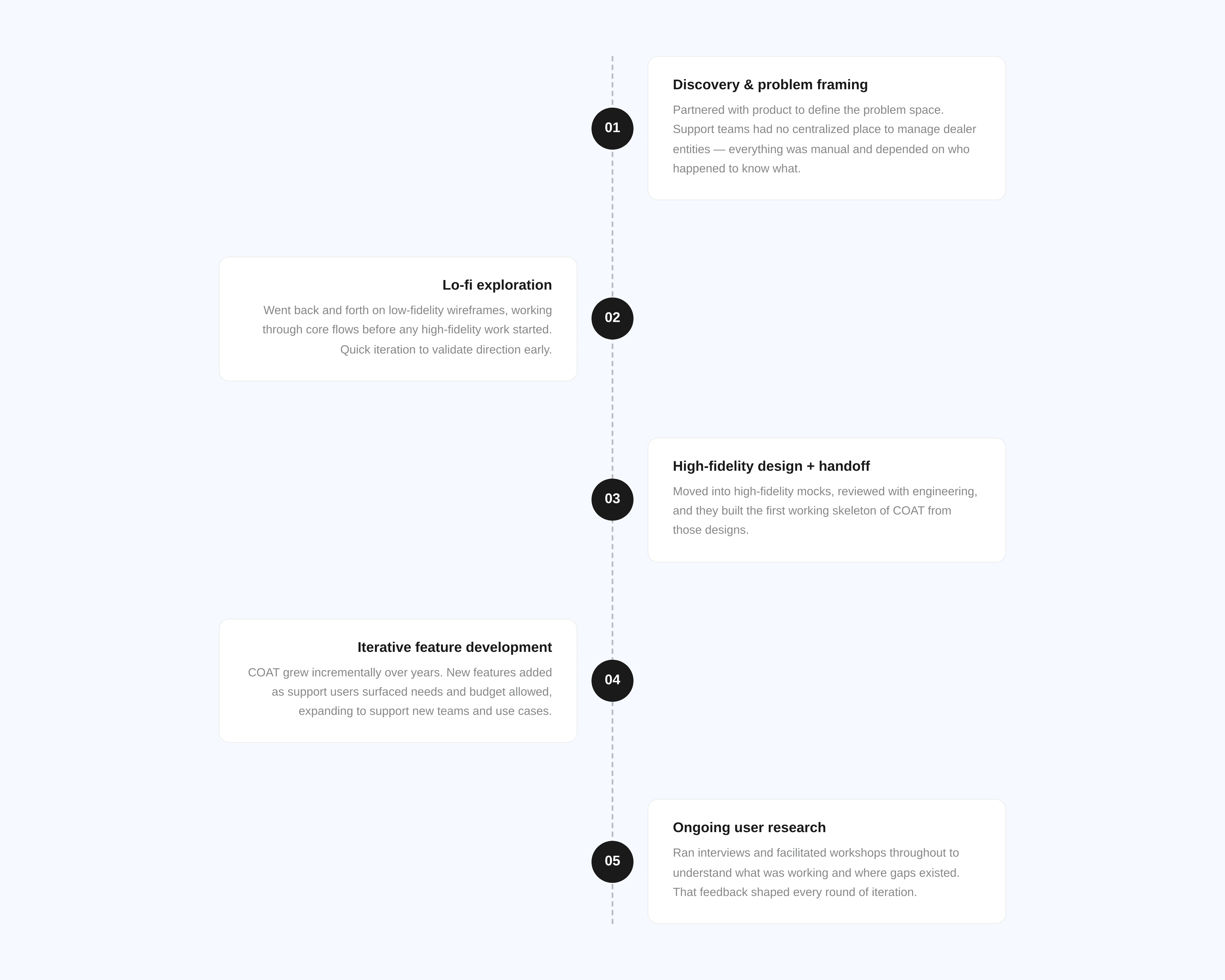
COAT didn't start with a full spec. It started with a problem: support teams had no centralized place to manage dealer entities, and everything that existed was manual, fragmented, and depended on who happened to know what.
I worked with product to get clear on the scope, then jumped into lo-fi wireframes early, going back and forth until the core flows made sense. From there I moved into high-fidelity mocks, reviewed with engineering, and they built the first working skeleton.
After that, COAT grew incrementally. New features got added as support users surfaced new needs and budget allowed. Throughout, I ran interviews and facilitated workshops to understand what was actually working and where the gaps were. It wasn't a single sprint, it was years of sustained iteration on a tool that kept getting more critical to the business.
The decisions that mattered
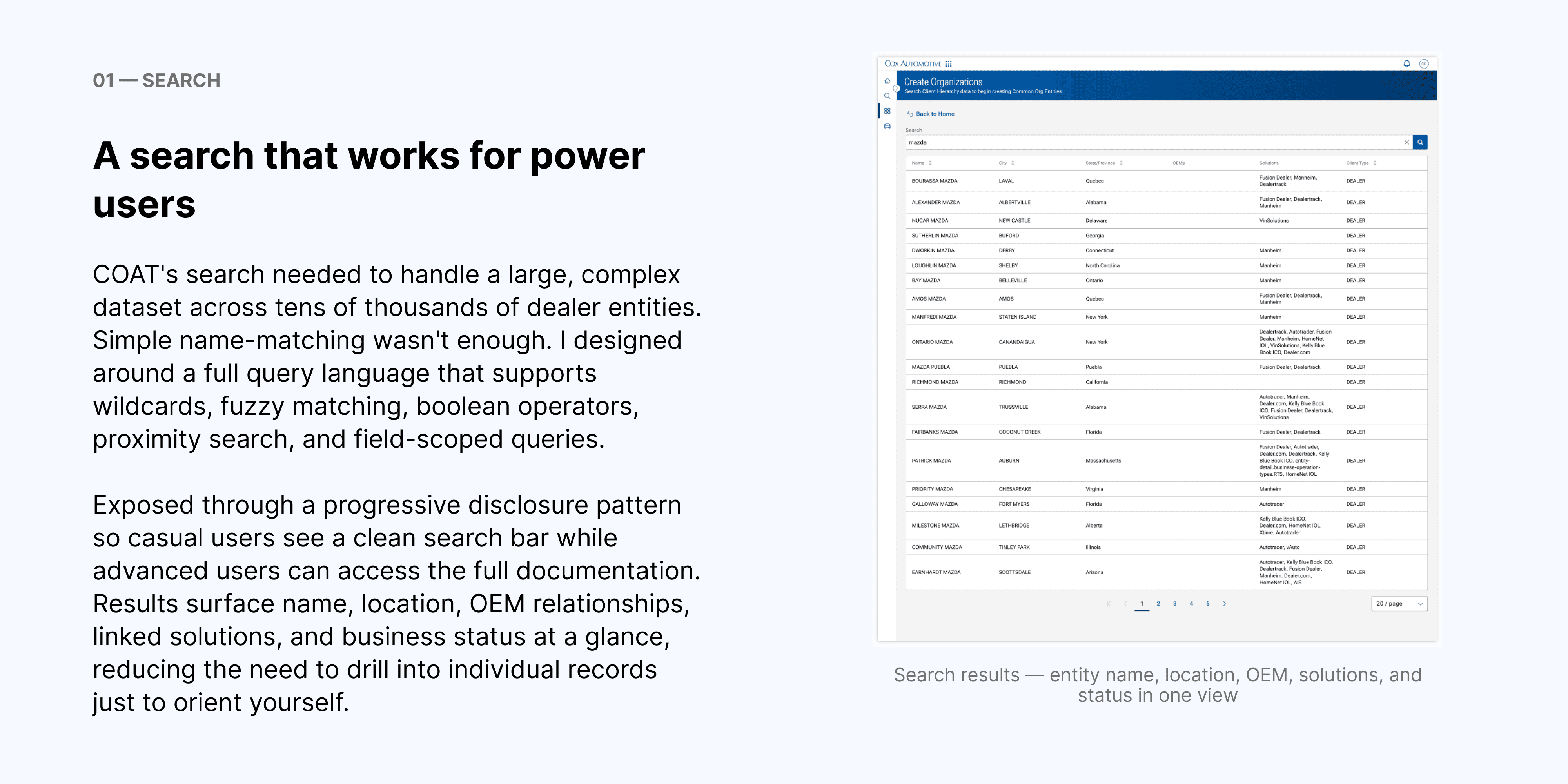
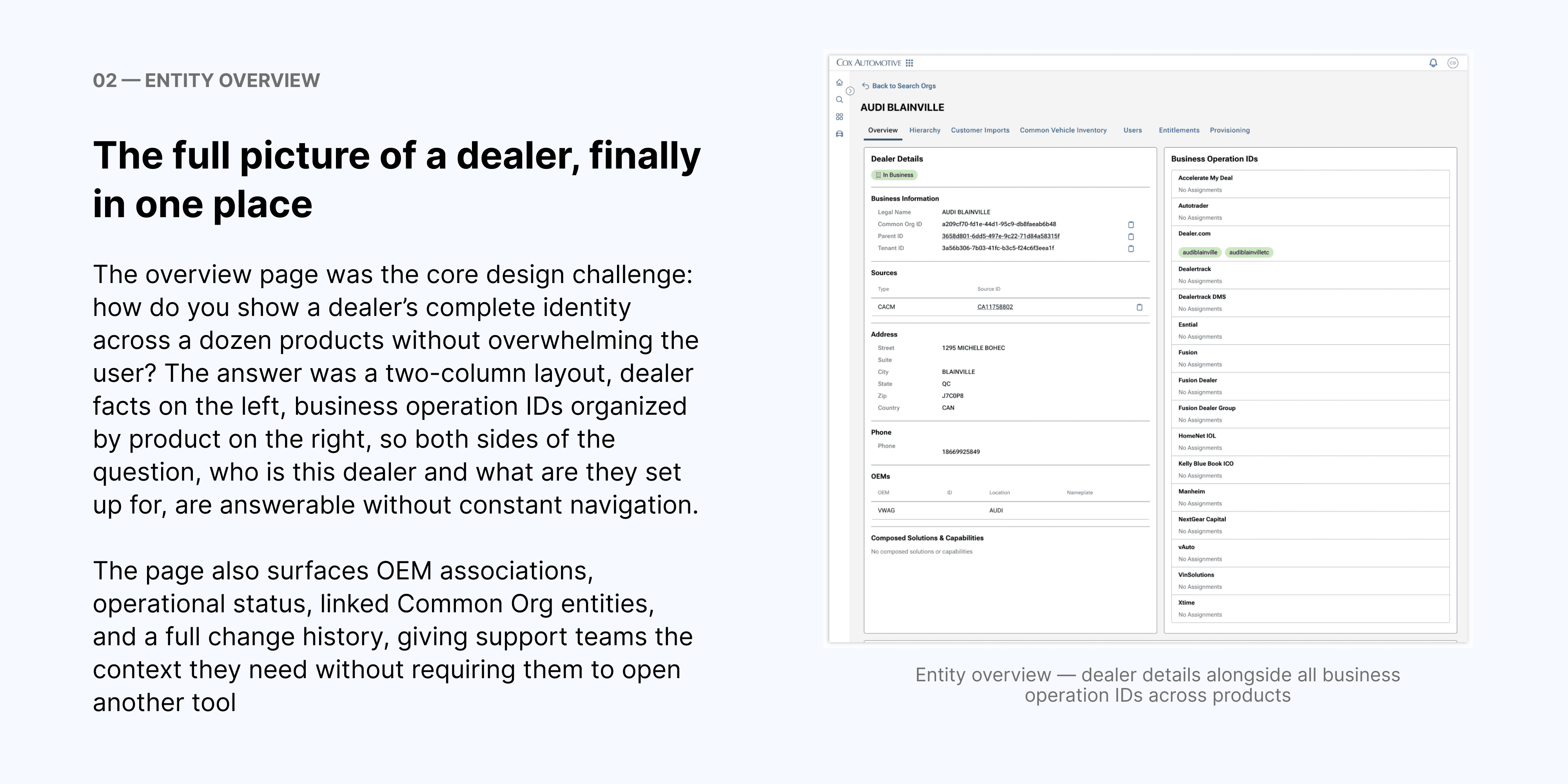
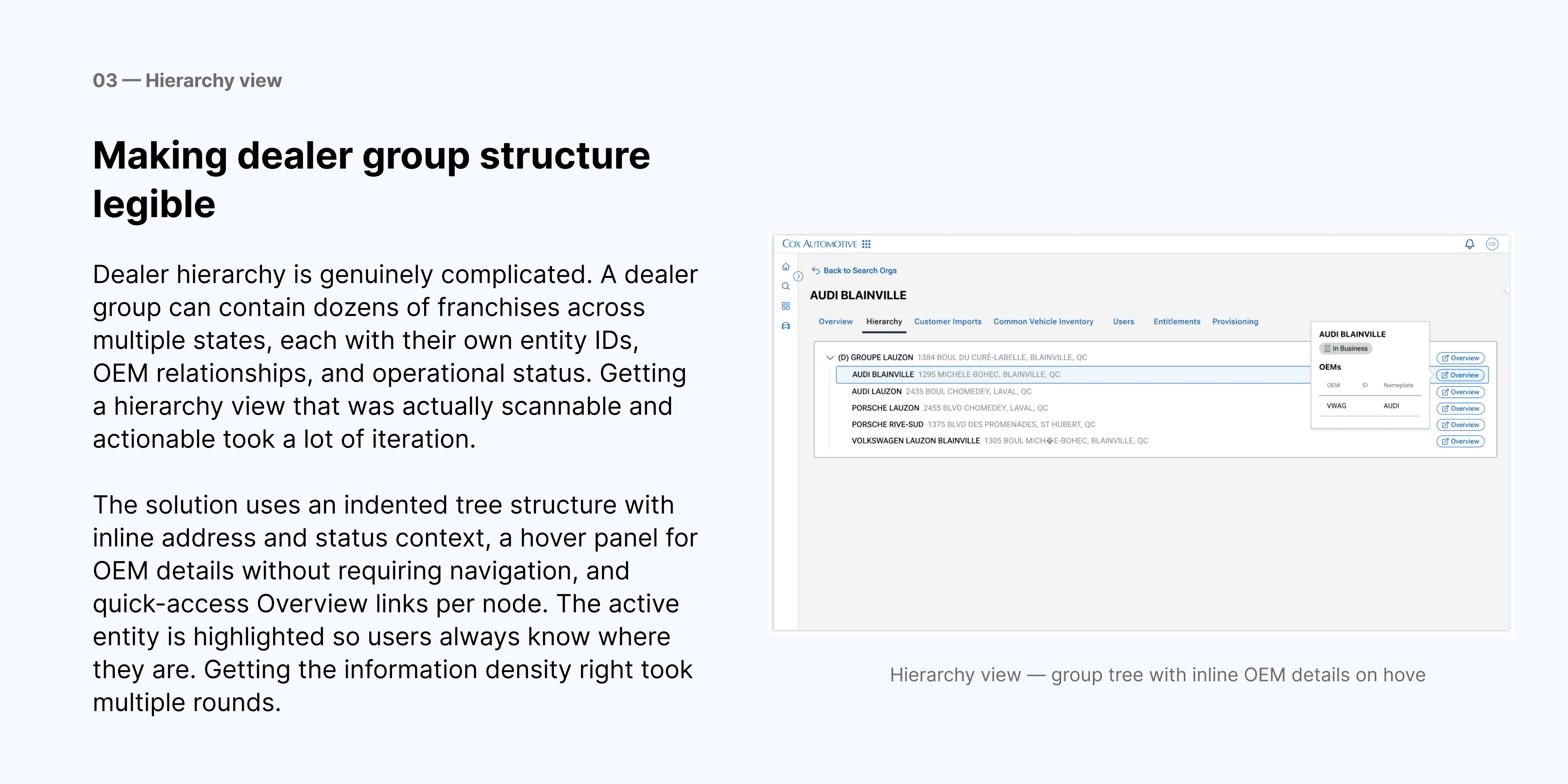
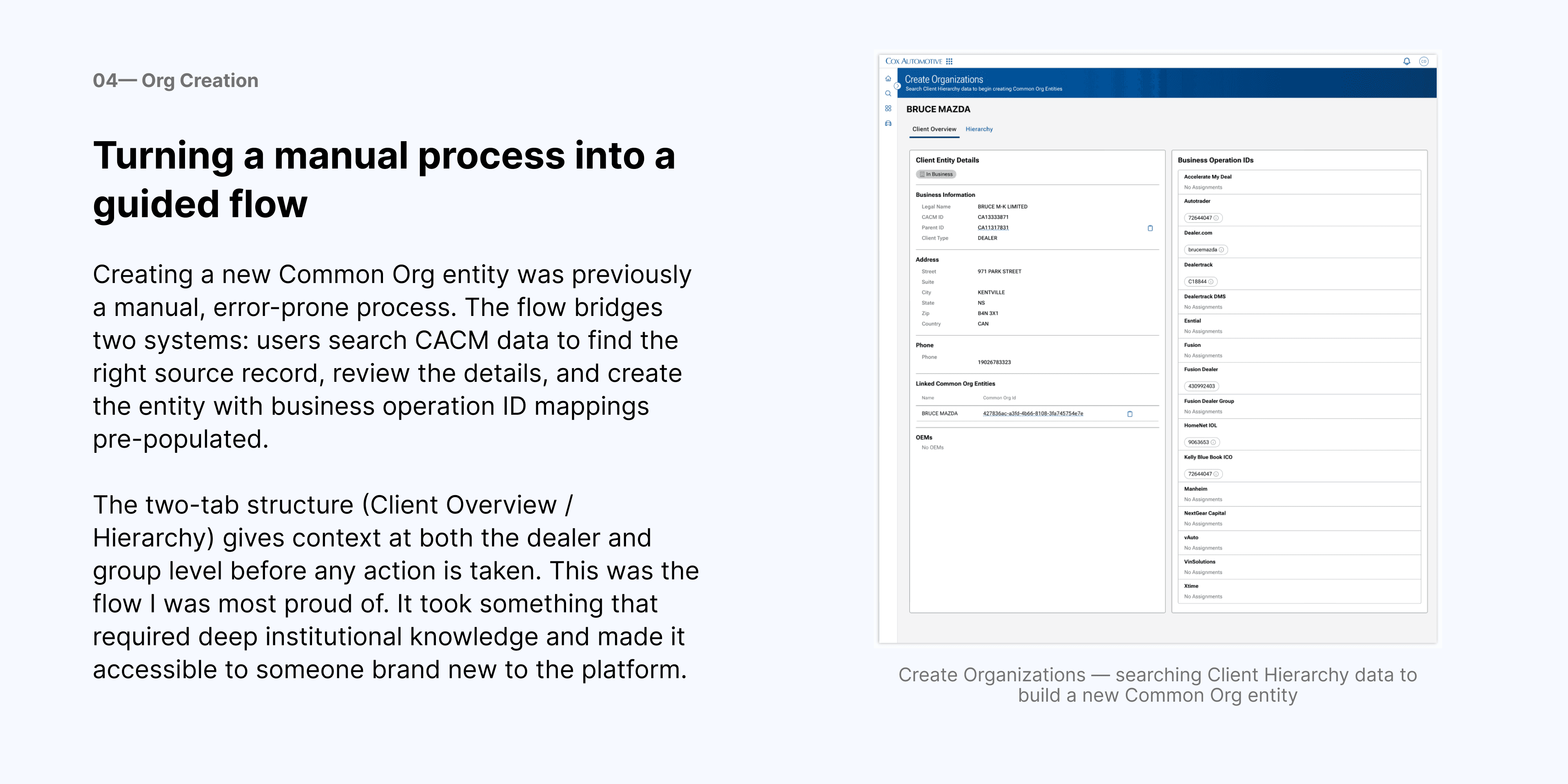
Four areas in particular required the most design thinking: search, entity details, entity hierarchy, and org creation. Each one had significant complexity underneath the surface.
Principles that shaped the work
What I took from it
COAT was unlike anything else I've worked on because it had no predecessor. There was no existing workflow to improve, no legacy UI to modernize. The process that existed before COAT was people figuring it out on their own, across too many tools, with no shared source of truth. That made every design decision feel high stakes, we were building the mental model from scratch.
Working across multiple years and multiple integrating teams also taught me a lot about designing for extensibility. Every pattern I established had to be something another team could build within. When a new module landed in COAT, I wanted the team building it to feel like they had a clear template, not a blank page.
The other thing I carried forward: internal tools deserve the same design rigor as external ones. The people using COAT were doing real work with real consequences. Ambiguous UI wasn't just annoying, it caused mistakes. That raised the bar on clarity in a way I found genuinely motivating.
